01 open agent lab
Coding agents, measured more than once.
An independent lab that runs the same coding tasks many times on agents such as Claude Code and Codex CLI, and publishes how often they pass, how often the result flips between runs, and what a run costs. One run is an anecdote; this site shows the spread and the uncertainty.
See results How runs are scored
Free, open-source tools the lab is built on:
| Claude Code | Codex CLI | ||||||||||||||||||||
|---|---|---|---|---|---|---|---|---|---|---|---|---|---|---|---|---|---|---|---|---|---|
| Claude Code run 0 | Claude Code run 1 | Claude Code run 2 | Claude Code run 3 | Claude Code run 4 | Claude Code run 5 | Claude Code run 6 | Claude Code run 7 | Claude Code run 8 | Claude Code run 9 | Codex CLI run 0 | Codex CLI run 1 | Codex CLI run 2 | Codex CLI run 3 | Codex CLI run 4 | Codex CLI run 5 | Codex CLI run 6 | Codex CLI run 7 | Codex CLI run 8 | Codex CLI run 9 | ||
| add-cli-flag | pass | pass | pass | pass | pass | pass | pass | pass | pass | pass | pass | pass | pass | pass | pass | fail | pass | pass | pass | pass | |
| edit-config | pass | pass | pass | pass | pass | pass | pass | pass | pass | pass | pass | pass | pass | pass | pass | pass | pass | pass | pass | pass | |
| fix-failing-test | pass | pass | pass | pass | pass | pass | pass | pass | pass | pass | pass | pass | pass | pass | pass | pass | pass | pass | pass | pass | |
| follow-agents-md | pass | pass | pass | pass | pass | pass | pass | pass | pass | pass | pass | pass | pass | pass | pass | pass | pass | pass | pass | pass | |
| implement-lru-cache | pass | pass | pass | pass | pass | pass | pass | pass | pass | pass | pass | pass | pass | pass | pass | pass | pass | pass | pass | pass | |
| implement-slugify | pass | pass | pass | pass | pass | pass | pass | pass | pass | pass | pass | pass | pass | pass | pass | pass | pass | fail | pass | pass | |
| minimal-fix | pass | pass | pass | pass | pass | pass | pass | pass | pass | pass | pass | pass | pass | pass | pass | pass | pass | pass | pass | pass | |
| multi-file-rename | pass | pass | pass | pass | pass | pass | pass | pass | pass | pass | pass | pass | pass | pass | pass | pass | pass | pass | pass | pass | |
| refactor-extract-helper | pass | pass | pass | pass | pass | pass | pass | pass | pass | pass | pass | pass | pass | pass | pass | pass | pass | fail | pass | fail | |
| write-tests | pass | pass | pass | pass | pass | pass | pass | pass | pass | pass | pass | pass | pass | pass | pass | pass | pass | pass | pass | pass | |
- Claude Code
- 100/100 passed 95% interval: 96% to 100%
- Codex CLI
- 96/100 passed 95% interval: 90% to 98%
02 Latest
Latest result set
2026-10-06
Claude Code and Codex CLI, 10 tasks x 10 runs
n=10 per task
In plain words: Claude Code passed 100 of 100 runs and Codex CLI passed 96 of 100 runs: 10 tasks, each run 10 times, every run scored only by the task's own test script.
Claude Code
claude-opus-5-5 · 2.1.292 (Claude Code)
- pass rate
- 100% [96, 100]
- pass^10
- 100%
- flip rate
- 0%
- median tokens
- 53.4k
Codex CLI
gpt-6-luna · codex-cli 0.160.0
- pass rate
- 96% [90, 98]
- pass^10
- 70%
- flip rate
- 8%
- median tokens
- 56.6k
- pass rate [low, high]
- Share of runs that passed. The brackets are the 95% interval: the range of true pass rates these runs are consistent with. Few runs give a wide range.
- pass^10
- Chance that all 10 runs of a task pass. Read it as how far you can trust a single run.
- flip rate
- Chance that two runs of the same task disagree, one pass and one fail. 0% means every task gave the same result every time.
- median tokens
- Tokens a typical run used, including cached input.
The 95% intervals overlap for every pair of agents here, so this data does not show that any agent has a higher pass rate than another.
Write-up: Same task, 10 runs: Codex CLI reported edits it never made in 3 of 100 runs
03 Tools
The tools behind the lab
All five are open source and run on your own machine. Each one starts with a command you can paste as is. Each section has a stable link, such as #nerf-watch.
3.1 Regression detection
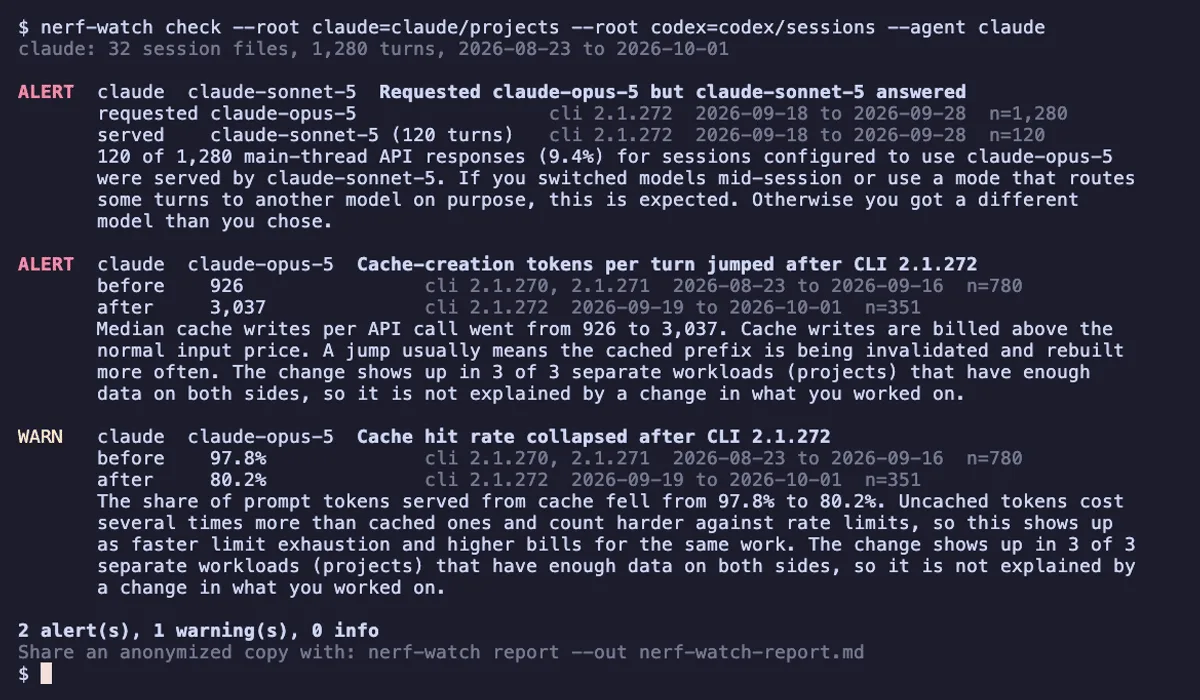
nerf-watch
Find out when your coding agent quietly got worse or more expensive.
npx nerf-watch checkNeeds Node.js 20 or newer. Then npx nerf-watch share prints an anonymized report for the regression watch.
Homebrew (macOS and Linux): brew install abelo9996/tap/nerf-watch
Claude Code plugin: /plugin install nerf-watch@open-agent-lab after /plugin marketplace add Abelo9996/open-agent-lab. Codex: codex plugin add nerf-watch@open-agent-lab from the same marketplace.
- Reads the session logs Claude Code and Codex already write on your machine. Nothing is uploaded.
- Flags a different model answering than the one you picked, reasoning effort drops, a shrinking context window, cache-write jumps and failing tool calls.
checkexits with status 1 when an alert fires;shareprints an anonymized summary and a prefilled regression report link.
The output of nerf-watch share is what a regression report on this site contains.
3.2 Repeated-run benchmark
rerun-bench
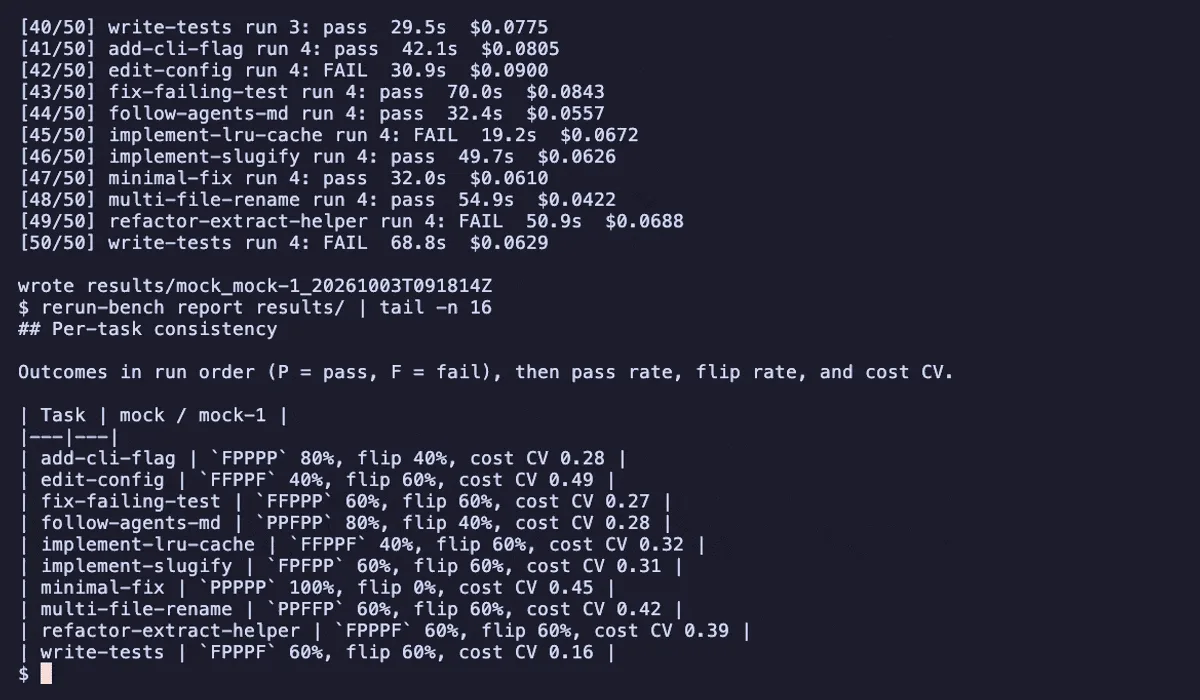
Run the same coding task N times per agent and see how often it passes, how often it flips, and how much the bill varies.
uvx rerun-bench run --agent mockNeeds uv. The mock agent is free and finishes in seconds. --agent claude, codex or opencode drives a real CLI and spends credit. To keep it installed: uv tool install rerun-bench.
Homebrew (macOS and Linux): brew install abelo9996/tap/rerun-bench
Claude Code plugin: /plugin install rerun-bench@open-agent-lab after /plugin marketplace add Abelo9996/open-agent-lab. Codex: codex plugin add rerun-bench@open-agent-lab from the same marketplace.
- Each run starts from a fresh temporary copy of the task, and passes only if the task's verifier exits 0.
- Reports pass rate with a Wilson 95% interval, pass^k, flip rate, and cost and token spread.
- Drives Claude Code, Codex CLI and OpenCode headlessly; a free mock agent shows the whole pipeline without spending anything.
Produces every result on this site.
3.3 Undo
snap-back
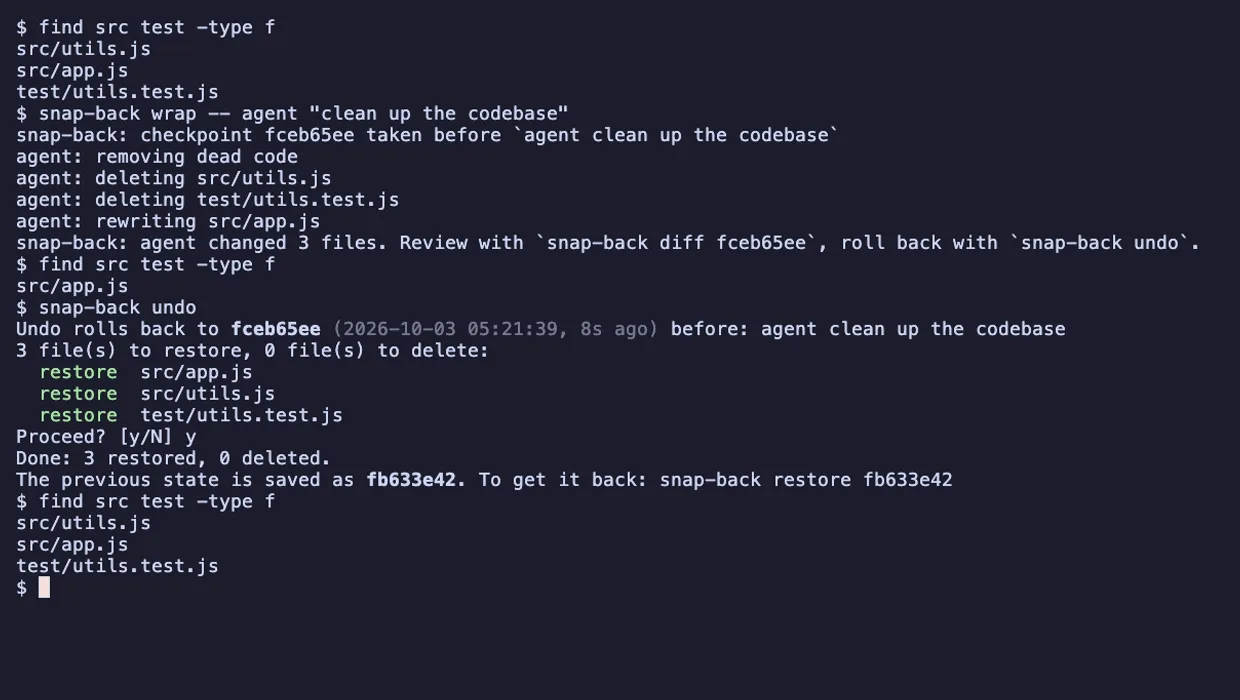
Roll back whatever a coding agent did to your files with one command, without touching your own git history.
npx @abelo9996/snap-back wrap -- codexRuns Codex with snapshots on; put any agent command after --. Then npx @abelo9996/snap-back undo rolls its changes back. For everyday use: npm install -g @abelo9996/snap-back. Needs Node.js 20 or newer.
Homebrew (macOS and Linux): brew install abelo9996/tap/snap-back
Claude Code plugin: /plugin install snap-back@open-agent-lab after /plugin marketplace add Abelo9996/open-agent-lab. Codex: codex plugin add snap-back@open-agent-lab from the same marketplace.
- Snapshots the project into a separate shadow git repository; your own
.gitis never read or written. - Works with any agent, because it watches files rather than the agent.
undolists what it will restore and delete and asks first, and every restore can itself be undone.
Lets you try an agent update without risking your working tree.
3.4 Permission policy
agent-fence
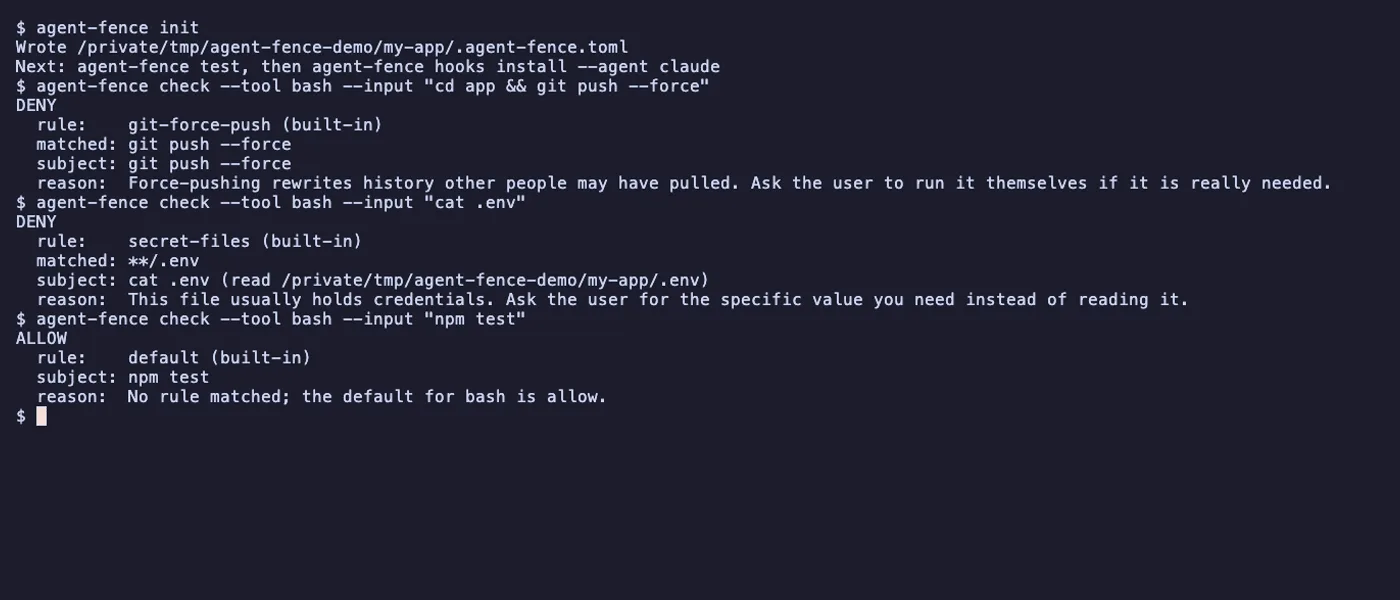
One policy file decides what every coding agent on your machine may run, read and write, and logs everything it tried.
npm install -g @abelo9996/agent-fenceThen, in a project: agent-fence init writes a commented starter policy, and agent-fence hooks install --agent claude enforces it in Claude Code. Needs Node.js 20 or newer.
Homebrew (macOS and Linux): brew install abelo9996/tap/agent-fence
Claude Code plugin: /plugin install agent-fence@open-agent-lab after /plugin marketplace add Abelo9996/open-agent-lab. Codex: codex plugin add agent-fence@open-agent-lab from the same marketplace.
- Allow, ask or deny shell commands, file access and git operations from one
.agent-fence.toml. - Claude Code and Codex enforce it through their hooks; any other agent can run its commands through a wrapper.
- Every decision goes to a local audit log, and
agent-fence testunit-tests the policy in CI.
Keeps benchmark and everyday runs inside rules you can read and test.
3.5 Launch tooling
launch-day-kit
Ship a companion repo within hours of an AI platform launch.
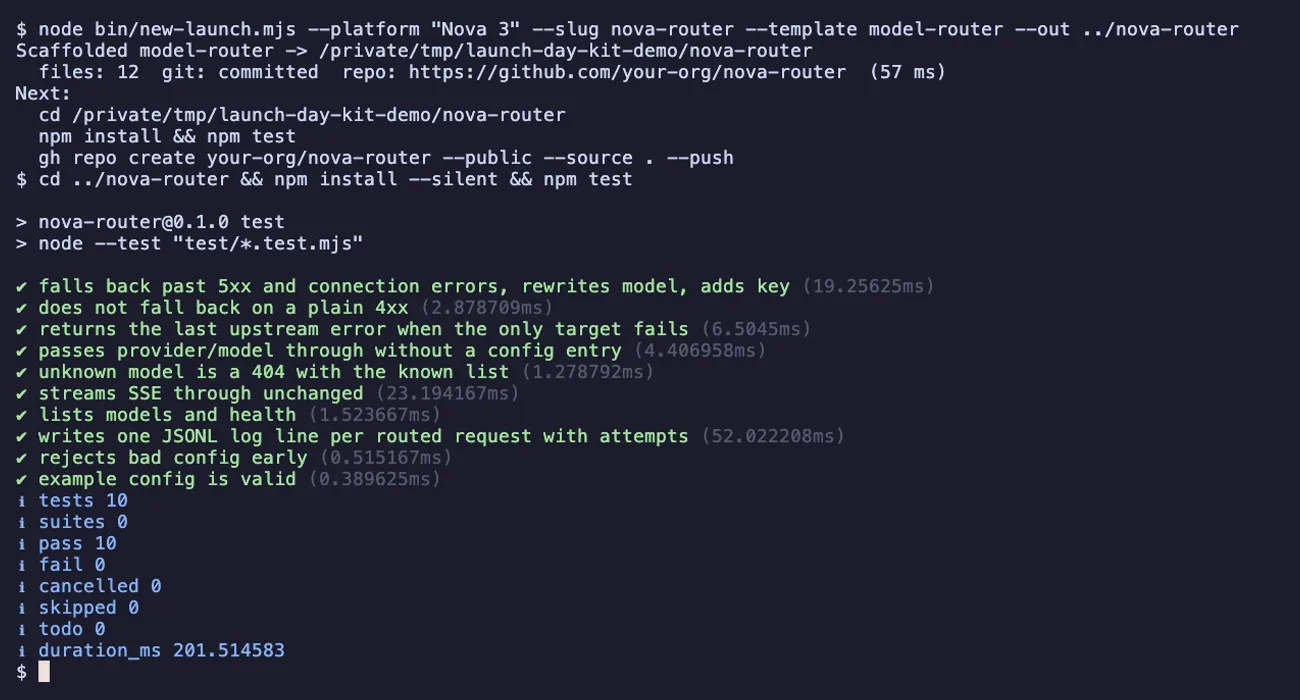
git clone https://github.com/Abelo9996/launch-day-kitThen cd launch-day-kit && node bin/new-launch.mjs --list lists the templates. Needs Node.js 22 or newer; nothing to install.
- A playbook with a T-minus and T-plus checklist, naming rules and a README pattern.
- Five tested templates: awesome-list, terminal UI, desktop app, plugin market and model router.
- A zero-dependency scaffolder fills placeholders and commits;
npm run rehearsetimes every template end to end.
Works to the same clock as the launch-day plan on this site: hours, not weeks.
04 Contribute
Contribute data
Results
- Run rerun-bench with at least 3 runs per task:
uvx rerun-bench run --agent claude --runs 3 --out results/. - Generate the JSON report:
uvx rerun-bench report results/ --format json -o report.json. - Save it as
data/results/<YYYY-MM-DD>-<label>.jsonand open a pull request with the CLI versions, models and machine.
Regression reports
- Run
npx nerf-watch share. - Read the JSON it prints. It holds aggregate numbers only.
- Open the prefilled regression report link it prints and submit it.